
From analyserto the record
Results from laboratory analysers and images from imaging equipment arrive in the record without anybody retyping them. Four standards, and no others, because no others exist.
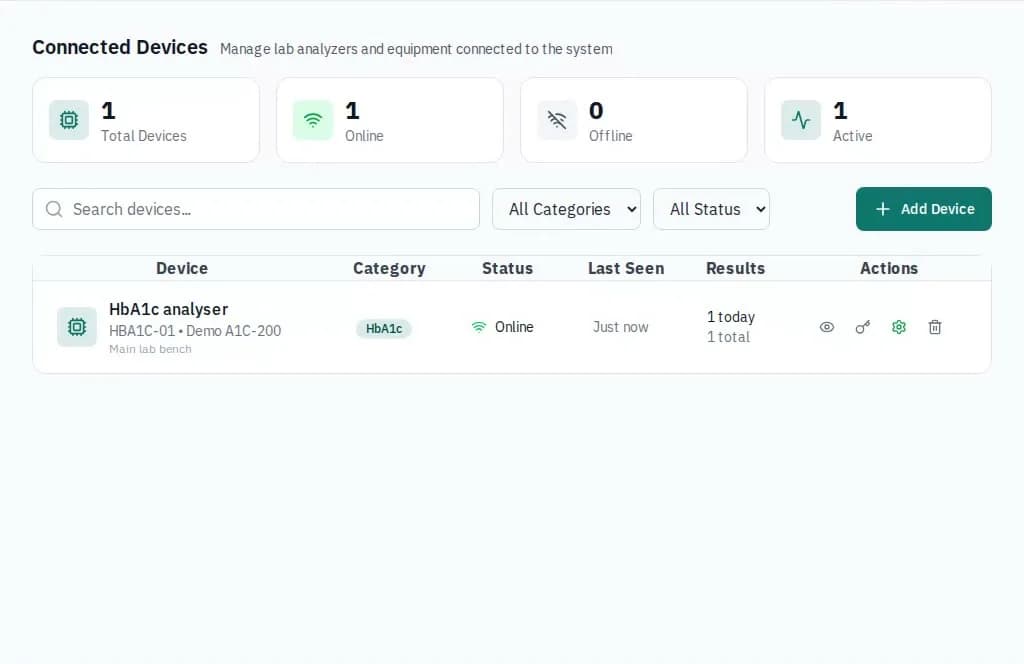
The same path for HL7, ASTM and FHIR, so a result reads the same whichever carried it.
How a result travels
The analyser
Runs the sample and sends its result message, as it already does today.
HL7 v2 or ASTM
ORU^R01 over MLLP, or ASTM E1381 with E1394 records, received on the hospital network.
Matched to the order
The sample number finds the lab order. No match, and it waits in Incoming results.
On the record
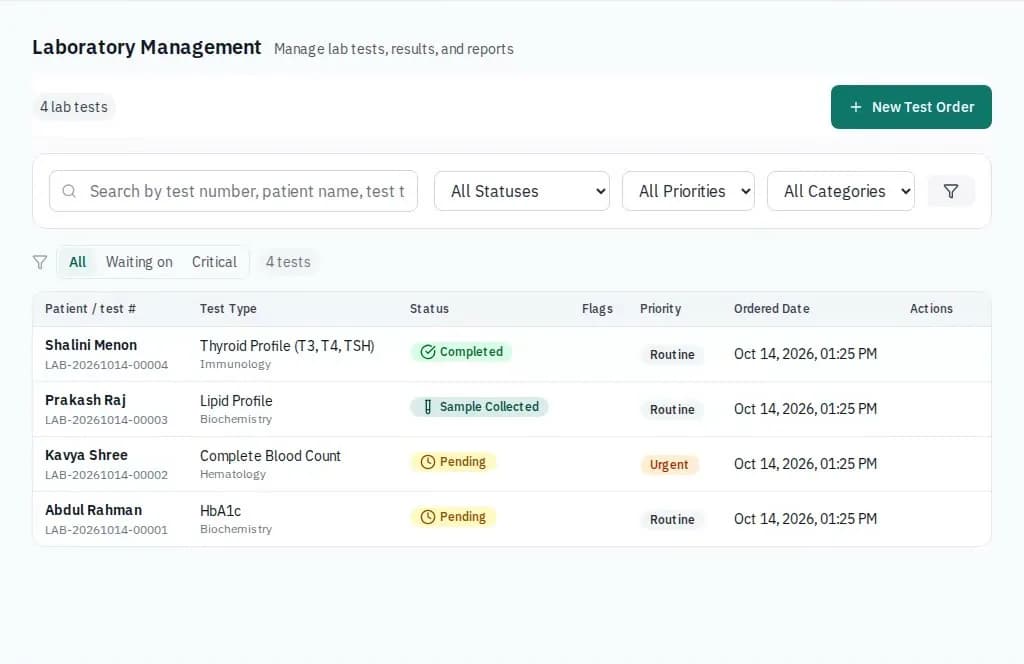
A technician applies it. The doctor sees it on the patient’s timeline, charted over time.
The four standards
Results land in the laboratory and imaging module.
HL7 v2
Analyser and lab results over MLLP.
Laboratory analysers that send HL7 v2 result messages can deliver them straight into the lab module, where they are matched to the order and acknowledged.
ASTM E1381
Bi-directional analyser link.
Analysers that speak ASTM rather than HL7 connect through the same results path, so a result reads the same whichever protocol carried it.
FHIR
Observation, DiagnosticReport and Bundle.
The platform accepts FHIR Observation, DiagnosticReport and Bundle resources for results from systems that send FHIR. It is not a full FHIR server, and other resource types are not offered.
DICOM
Images from the modality.
Imaging modalities can send studies over DICOMweb (STOW-RS), and images are read back over WADO-RS, so a radiology study carries its images alongside the report.
Questions buyers ask
Which HL7 versions do you support? HL7 version 2 result messages, ORU^R01, over MLLP on TCP. The version in the message header is not used to refuse a message: an ORU^R01 is read the same way whichever 2.x version it declares, and the acknowledgement echoes that version back. Send us a sample message from your analyser and we will tell you whether it reads. Other message types, such as ADT or orders sent to us, are answered with a reject. HL7 version 3 and CDA documents are not read.
How is a result matched to the right patient? By the sample number. The placer or filler order number in the message is matched to the test number of the lab order. A result with no matching order, or more than one, is kept in Incoming results for a technician to match by hand. Nothing is filed by guessing.
Does a result go straight onto the record? It arrives pending. A technician reviews it and applies it to the test, and values are kept as the analyser wrote them, with the analyser’s own abnormal flags, plus a number beside each for charting.
How do analysers connect to a hosted system? The HL7 and ASTM listeners are plain TCP services meant to sit on the hospital’s own network, never open to the internet. Each analyser is registered under Connected devices first, and a message from an analyser nobody registered is refused rather than filed under some hospital. How the listener is reached is set up with each hospital.
How are DICOM images stored? Modalities send studies over DICOMweb STOW-RS. Each image file is kept as sent, on the server’s own storage, filed by study and series, and its details are recorded against the hospital. The study is matched to the radiology order by accession number, then by patient ID; anything unmatched waits for a person. Images are read back over WADO-RS and open in the browser with no separate viewer.
Is it a FHIR server? No. It accepts FHIR Observation, DiagnosticReport and Bundle resources carrying results, authenticated with the sending device’s own key. Other resource types are not offered.
Can it connect to our other systems? Only through the four standards on this page. There is no connection today to insurance, accounting or national health record systems, so ask before assuming one exists. Online payments are part of the billing module.
See it workingbefore you buy
Open the demo hospital and sign in as a doctor, a nurse or the front desk. Nothing to install and no account needed. When you want your own patients in it, the trial runs for thirty days with everyone who works there included.