
Front desk and appointments
The day in front of you, not the whole diary.
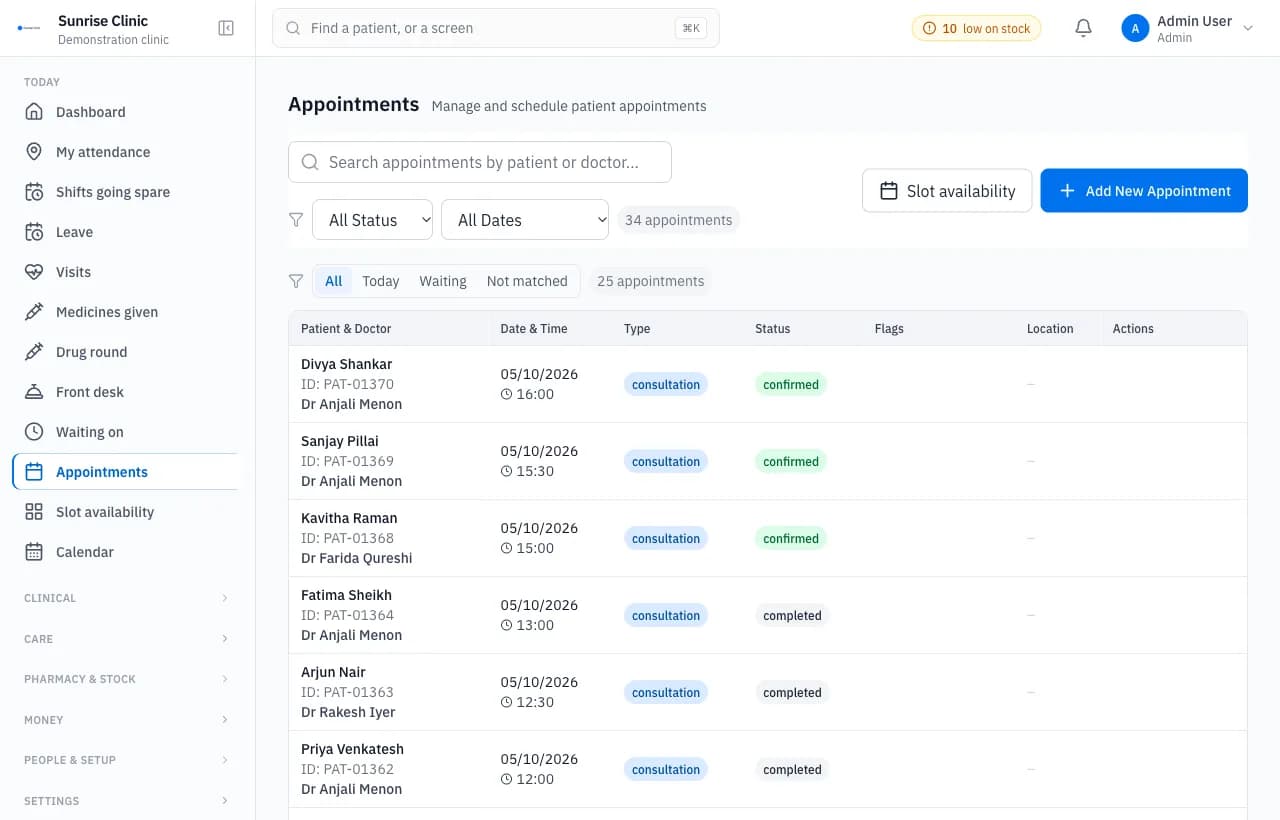
The front desk module handles appointments, walk-in registration and check-in. Reception sees who has arrived, who is waiting and for how long, and who is still expected, on one board.
Used by: Receptionists and front-office staff.
What it does
- A board of who has arrived, who is waiting and for how long, and who is still expected.
- Check-in in one tap, undoable, with the waiting clock starting from it.
- Walk-in registration in four fields, no email demanded, because most walk-ins do not have one.
- Appointments with per-doctor slots and a page showing which appointments are free.
- A public booking page on the clinic’s own address.
- Patients imported from a spreadsheet, with a preview before anything is written.
Questions buyers ask
Can patients book without creating an account?
Yes. Each clinic has a public booking page on its own address, and a patient can request an appointment there without signing up.
Can we bring our existing patient list?
Yes. Patients can be imported from a spreadsheet. The import shows a preview first and writes nothing until you confirm it.
Further reading
- What is a hospital management system, module by moduleA plain explanation of what a hospital management system does: the front desk, consultations, wards, laboratory, pharmacy, billing and administration.